In Blender 5.01, the shape of the dragon’s tail is not in the correct shape, even though the nodes were properly put and connected. I sent the blend file for your reference. Pl clarify the mistake I did.
Creating Dragons 161.blend (158.2 KB)
1 Like
Hey Jana. You’ll want to plug the spline parameter directly into the scale of the curve to mesh and not use the set curve radius anymore. Make sure to checkout lecture 51 “Set Curve Radius Node” on the explanation of that at 30 seconds in!
https://www.udemy.com/course/geometry-nodes/learn/lecture/37459356#overview
Creating Dragons 162.blend (157.7 KB)
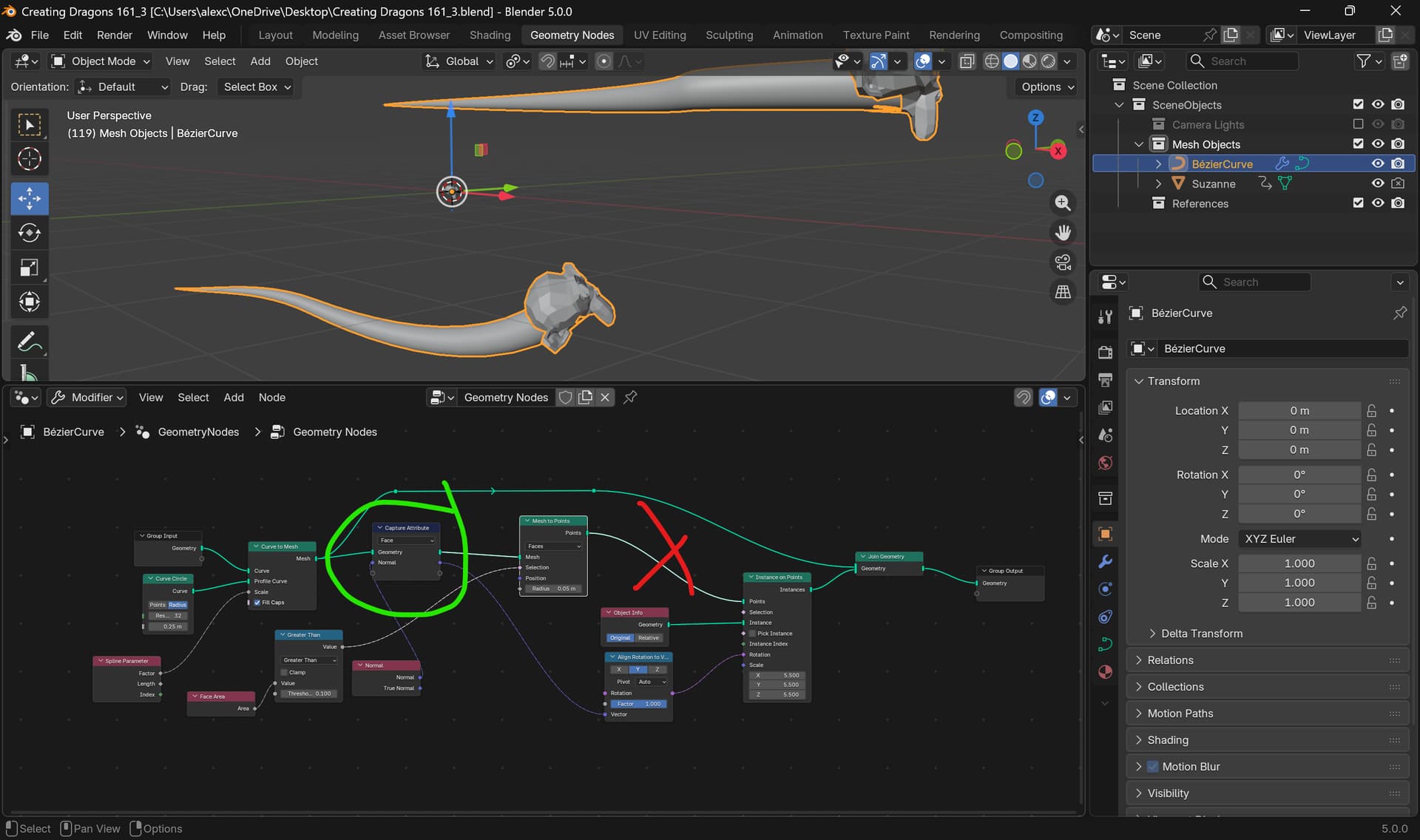
I am now practising in the latest Blender 5.01. Since “Align Euler to Vector “ is deprecated, I tried with “Align Rotation to Vector”. I am unable to align the head ( I used a Suzanne here for testing) with the face_normal. Please help me.
Creating Dragons 161_2.blend (185.5 KB)
1 Like
Hey my friend. So the issue is that you have the capture attribute AFTER the mesh to points node which won’t work as then it will try to capture the face normal attributes of the points which doesn’t exist as points don’t have normals. You want to put the node BEFORE the mesh to points like so
Creating Dragons 161_3.blend (183.1 KB)
The spline parameter for shaping the hair particles for the dragon head is not working correctly in Blender 5.01. The hair curve does not converge to a cone shape, as demonstrated in the tutorial. I am sending the blend file. Please help.
Creating Dragons 161_4.blend (180.9 KB)
1 Like
Hey my friend. So the issue is that the set curve radius node no longer works as described. Make sure to watch this video here for the update on that and here is the fixed .blend
Lesson 51 “Set Curve Radius Node” at 30 seconds into the video https://www.udemy.com/course/geometry-nodes/learn/lecture/37459356/?instructorPreviewMode=student_v4#overview
Creating Dragons 161_5.blend (178.8 KB)